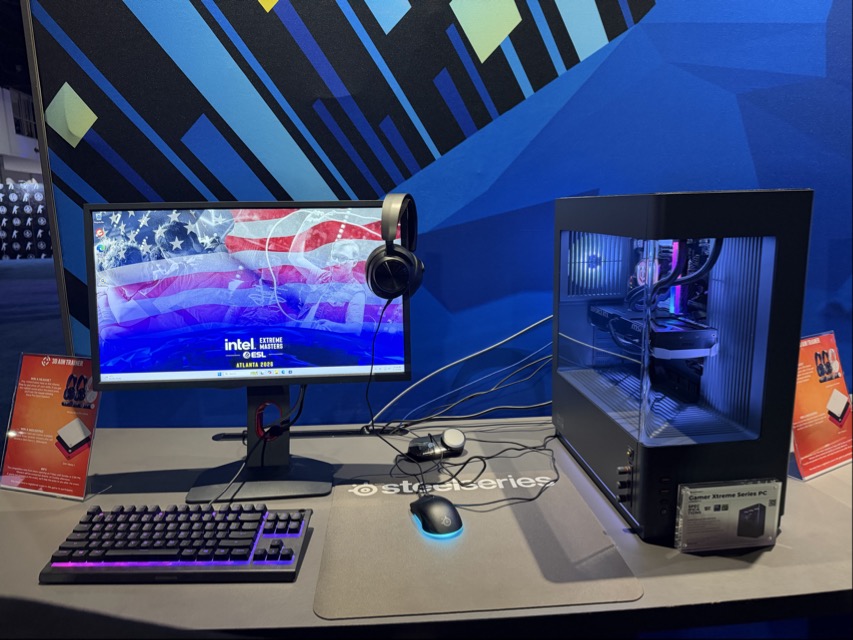
You’ve got your gaming PC, but now you need to figure out what kind of monitor you can get. Resolution is one of the most important factors in deciding on a monitor. With the power of today’s upscaling technology, you might be able to go with a higher resolution than you initially thought. Here’s the sort of PC specs you need for each resolution and the considerations you need to make.
Table of Contents
- Understanding Resolution: What the Numbers Actually Mean
- How DLSS 4.5 and FSR Changed the Equation
- 1080p Gaming in 2026
- 1440p Gaming in 2026
- 4K Gaming in 2026
- Monitor Costs: The Budget Factor Nobody Talks About
- Which Resolution Is Right for You?
- FAQs
Understanding Resolution
Resolution is the number of pixels your monitor has. It is described as the width and height of the grid of pixels that makes up screen. Let’s break down the 3 most common resolutions you usually see in modern monitors:
1080p (Full HD) is 1920 x 1080 pixels. It’s been the mainstream choice for well over a decade and remains the most common gaming resolution worldwide. 1080p monitors with a fast refresh rate look great, are affordable, and most modern GPUs can crank out high or maxed out settings with fast frame rates at this resolution.
1440p (QHD) is 2560 x 1440 pixels. That’s about 78% more pixels than 1080p, producing a sharper image. It strikes that sweet spot between image quality and performance demand from your hardware. Its growing in popularity as the mainstream choice for gamers.
4K (Ultra HD) is 3840 x 2160 pixels. That’s a whopping 4X the pixels of 1080p, and roughly 2X the pixels of 1440p. It delivers a supremely sharp image but it asks significantly more of your GPU pump out all those pixels.
With more pixels comes more detail, but that comes at the cost of bigger stress on your GPU. That’s the heart of the issue of deciding on a resolution, and why which GPU you have matters more than your CPU as you start gaming at higher resolutions.
DLSS and FSR – Upscaling Changes The Game
Upscaling technology in 2026 is in an excellent spot, and it has changed the conversation around what kind of hardware you need to game at higher resolutions with fast frame rates.
Upscaling follows this basic principle: instead of rendering the game at full resolution, your GPU renders it at a lower resolution and then uses the power of AI to reconstruct the missing pixels. The result looks close to native resolution while requiring significantly less GPU horsepower. In 2026, both major GPU vendors offer their own upscaling solutions. DLSS is limited to GeForce RTX graphics cards, with the latest features limited to their newest 50 Series Graphics cards. Meanwhile AMD’s FSR upscaling is available to use on all graphics cards, but they also have proprietary features usable only on their latest Radeon 9000 Series graphics cards.
NVIDIA DLSS 4.5
NVIDIA’s DLSS (Deep Learning Super Sampling) is the current leader when it comes to upscaling technology. DLSS 4.5, announced at CES 2026, introduced their second gen transformer AI model. You can learn all about it in our article detailing all of its features. When implemented well, it can seem like magic. Offering an image that seems near indistinguishable from native resolution but at much higher framerates. Usually you might as well use it if available, it’s basically a free performance boost.
The most enticing feature of the latest DLSS update is 6X Multi Frame Generation, which is limited to RTX 50 Series GPUs. Regular frame generation creates one AI-generated frame between each rendered frame (a 2x multiplier), while 6X Dynamic Multi Frame Generation generates up to 5 additional frames for every 1 traditionally rendered frame. It can also automatically adjust the multiplier in real time to hit your monitor’s refresh rate ceiling. For example, an RTX 5080 GPU being used with a 240Hz 4K gaming monitor, playing a game with path tracing enabled, can hit those upper framerates. Image quality and other quirks can occur, but the fact that we have this tech available to us right now and it is only getting better, is amazing.
AMD FSR (FidelityFX Super Resolution)
AMD’s upscaler is known as FSR. Its now on it’s fourth major generation, having been recently rebranded as part of the “FSR Redstone” suite. FSR 4 uses machine learning, like DLSS, to reconstruct high-quality images from lower-resolution frames. It’s a significant performance leak over the previous generation FSR, with reduced ghosting on moving objects, cleaner particle effects, and substantially improved temporal stability.
The full ML-powered FSR 4 (now called FSR Upscaling in the Redstone suite) currently requires an AMD Radeon RX 9000 series GPU, Or so we thought. AMD has recently confirmed that FSR Upscaling 4.1 will arrive for RX 7000 series (RDNA 3) cards in July 2026 and for RX 6000 series (RDNA 2) cards in early 2027. Until then, the previous generation of Radeon cards GPUs can use the still-capable FSR 3.1, which remains solid but is a step behind the newest version that utilizes machine learning.
The nice part about FSR, that DLSS doesn’t have: it works on any GPU. FSR is broadly supported and provides a real performance uplift on hardware or games that doesn’t have DLSS support.
What Upscaling Means for Your PC
Upscaling means that the raw level of GPU power required to hit a resolution has come down substantially. A GPU that maybe would not have been able to sustain 60fps at native 4K can hit it comfortably using DLSS or FSR.
This doesn’t mean any GPU can crank out perfectly smooth 4K gaming, there are still meaningful performance differences between GPU tiers. But it does mean the hardware ceiling for enjoying fluid 1440p or 4K gaming is as accessible as ever.
1080p Gaming in 2026
1080p is not dead, and honestly, it will probably never die. It remains the largest installed base of gaming monitors in the world, and for good reasons.
First, 1080p at high refresh rates is still the preferred setup competitive gaming. If you’re playing Valorant, CS2, or Apex Legends, you want the most responsive gameplay possible. Every millisecond counts. . No competitive player is giving up 240Hz for 4K at 60fps.
Second, 1080p high refresh rate gaming monitors are affordable. This affordability extends to your PC’s build, you don’t need a 5090 to push 240Hz or higher at 1080p.
What GPU do you need for 1080p?
For modern 1080p 60FPS gaming, your best bet for good performance is the base tier model that each GPU manufacturer makes. For NVIDIA this will be the RTX 5050 or 5060, AMD Radeon RX 9060, or the Intel ARC B570 / 580. Opting for the latest generation graphics card ensures you have access to the latest technology and features.
What CPU do you need for 1080p?
At 1080p, your CPU is likely to matter more than at higher resolutions. This is because the GPU has less pixels to render each frame, thus the CPU’s speed feeding it instructions becomes the ceiling sooner (for more on this phenomena, known as bottlenecking, check out our article), For 1080p gaming, prioritize your performance with a CPU that has strong performance. The Ryzen 5 8600X, Core i5-13600K, or Core Ultra 5 are all great choices for the midrange. For pushing framerates even faster, say 240fps+, step up to the Ryzen X3D CPU or Core Ulra 7 or 9.
RAM for 1080p
16GB DDR5 at 6000MHz is the sweet spot for most 1080p gaming rigs. Make sure you use two sticks in Dual-channel configuration, two 8GB sticks outperform a single 16GB stick.
1440p Gaming in 2026
1440p is becoming the home resolution where most PC gaming enthusiasts have landed. The resolution hits a sweet spot between price, visual fidelity, and performance. At typical 27-inch monitor viewing distances, the jump from 1080p to 1440p is immediately visible. You will notice sharper text, textures have more definition, and just an overall increase in sharpness. The jump from 1440p to 4K, at the same viewing distance, is subtler.
The mid-range GPUs, namely the NVIDIA RTX 5060 Ti, RTX 5070, AMD Radeon RX 9070 — are perfect 1440p performance. These are the cards designed to deliver solid framerates in demanding AAA titles at 1440p with high to ultra settings, and they do so comfortably. With DLSS or FSR enabled, you’re looking at consistently good frame rates in pretty much every game you play.
What GPU do you need for 1440p?
For 1440p/60fps on high settings, an RTX 3060 Ti or RX 6700 XT is your comfortable entry point. Both can handle the major 2025–2026 releases at 1440p without constant quality compromises, particularly with upscaling in Quality mode.
For 1440p/144Hz, aim for the newer RTX 5060 Ti, RTX 5070, or RX 9070. Using NVIDIA’s DLSS or AMD’s FSR uoscalers, these graphics cards should sustain above 100 FPS in most modern games and 144fps older titles. Native 1440p/144fps in Crimson Desert on ultra settings requires something closer to an RTX 5070 or RX 9070 XT — but with DLSS Quality enabled, an RTX 5060 Ti gets you there without breaking a sweat.
For 1440p/165Hz or 240Hz, you’re looking at an RTX 5070 Ti or RX 9070 XT to sustain those fast frame rates. With frame generation enabled, the equation changes: the RTX 5070 with DLSS Multi Frame Generation can sustain 165fps+ in most scenarios, hitting the high-refresh ceiling much more easily.
What CPU do you need for 1440p?
At 1440p, the GPU starts to carry more of the load than at 1080p, which means CPU requirements are slightly more forgiving, since you will most likely have much lower frame rates than if you were running the game at 1080p. A Ryzen 5 8600X or Core i5-13600K handles 1440p gaming without bottlenecking a mid-range GPU. If you’re pairing with an RTX 5070 or above, step up to a Ryzen 7 9700X or Core Ultra 7 to avoid the CPU becoming the weak link in CPU-heavy games.
RAM for 1440p
16GB DDR5/6000MHz dual-channel handles 1440p well. For a high end 1440p build or if you do anything beyond gaming on the machine, 32GB is worth the premium (thanks RAM-agedon) and eliminates any potential bottlenecks from memory-intensive titles.
4K Gaming in 2026
4K gaming is really coming “online” in 2026. It is more accessible than ever, thanks to the power of upscaling. But “more accessible” is does not mean it is cheap. 4K gaming is going to cost you a pretty penny when you add up the hardware you need and a 4K monitor.
The issue with 4K is the sheer amount of pixels your GPU has to push out. Recall that 4K has four times as many pixels as 1080p every frame. Those add up quickly. Take a GPU that runs a game at 80 FPS at 1440p, it might only manage 40 FPS if you bump it up to 4K. That gap performance gap is precisely where DLSS and FSR come into play and boost your frame rates to more acceptable levels.
4K with Upscaling
With DLSS 4.5 Quality mode enabled, which renders internally at roughly 1440p and upscales to 4K, an RTX 5070 can sustain 60fps+ in virtually all current demanding titles at 4K with high settings. At Quality mode, the perceptible image quality difference between DLSS 4K and native 4K is minimal to nonexistent for most viewers at normal monitor viewing distances. This is the honest state of 4K gaming in 2026: for a smooth, beautiful 4K experience, you don’t need a flagship GPU. You need a solid upper-mid-range card and a 4K monitor.
Locked 60fps at 4K with upscaling in demanding titles, the RTX 5070 or RX 9070 is the practical sweet spot. For 4K/120fps gaming with upscaling — the target for players with high-refresh 4K displays you’re now looking at the high end cards, RTX 5080 or RTX 5090 territory, or an RX 9070 XT with frame generation doing significant heavy lifting.
What GPUs Work for 4K?
For 4K/60fps with DLSS or FSR Quality mode: RTX 5070 or RX 9070 XT. This is the realistic entry point for a smooth 4K experience in demanding AAA games without constant quality trade-offs.
For native 4K/60fps (no upscaling) in demanding titles: RTX 5080 or above. Rendering natively at 4K still asks a lot, even for high end hardware. You may still not be able to hit it, depending on how demanding a game is.
For 4K/120+fps with upscaling and frame generation: high end cards again.
What CPU do you need for 4K?
At 4K, the GPU is almost always the bottleneck. This means CPU requirements at 4K are actually less critical than at 1080p. A Ryzen 5 8600X or Core i5-13600K will not bottleneck an RTX 5080 at 4K in most scenarios. However, if you’re gaming at 4K and also doing video editing, streaming, or creative work on the same machine, a Ryzen 7 9800X3D or Core Ultra 9 gives you headroom for all of it. Also chances are a higher end system will come with higher end CPU, that’s how things are priced out.
How Much RAM for 4K Gaming
32GB DDR5/6000MHz dual-channel is recommended for a 4K gaming build. Games at 4K with high texture settings can be pretty memory-hungry, plus 32GB future-proofs the build for titles shipping in 2026 and beyond.
Monitor Costs
Your monitor is part of your PC budget too. After all, you can’t play games if you can’t see them! The price difference between 1080p,1440p, and 4K displays is significant.
A high-quality 1440p gaming monitor — 27-inch, 144–165Hz, IPS or OLED panel, is gonna run you in $250–$500 range for most of the good options. The best 1440p OLED panels top out around $600–$700 and deliver exceptional image quality, but you reach diminishing returns for how good an image is on any monitor.
Quality 4K gaming monitors start at around $400–$500 for 60Hz entry-level options, but a 4K display with fast refresh rates climb up in price quickly. 4K OLED gaming monitors, which deliver the best HDR contrast and response times, typically run $800–$1,500. A flagship 4K/240Hz OLED display can run $1,200 or more.
Which Resolution Is Right for You?
1080p: you primarily play competitive multiplayer games (Valorant, CS2, Apex, Fortnite) and care about frame rate above all else. Or if you’re building on a tight budget and want to maximize gaming quality per dollar. Or if you have a powerful PC but a smaller monitor — 24-inch 1080p at normal desk distances still looks excellent.
1440p: you play the latest games, you’re building a new mid to high-end sstem, or you want a noticeable upgrade from 1080p without the full wallet eating cost of 4K. 1440p is the sweet spot for most enthusiast PC gaming builds in 2026.
4K : Visual fidelity in games is your priority, and you are willing to pay the cost. 4K in 2026 is genuinely great, upscalers like DLSS 4.5 and FSR 4.1 makes it more achievable. But it’s still the most expensive tier, and the monitor cost plus the cost of a PC to support it balloons your budget quick.
One final note: if you’re looking for a new PC right now and genuinely undecided between 1440p and 4K, the 1440p build wins on value. You can put that money that would have went into a monitor towards a better GPU for the same money, a cheaper monitor, and higher frame rates.
Whichever resolution you decide on, head over to our website to see the best gaming PCs for all of these resolutions.