Learning how to read AMD CPU names helps you compare processors for your next gaming PC. A name such as Ryzen 9 9950X identifies a product tier, model, and suffix. This guide uses Ryzen 9000 and Ryzen 7000 desktop examples, then explains why laptop names need a separate check.
The name is a useful starting point, but it does not tell you everything about architecture, compatibility, or gaming performance. Compare the specifications for the exact processor before choosing a system or upgrade.
We’re here to help break down these naming conventions to help you understand the meaning behind each part of a name to leave you with the knowledge of how to read AMD CPU names.
Table of Contents
AMD Ryzen Naming Conventions 101
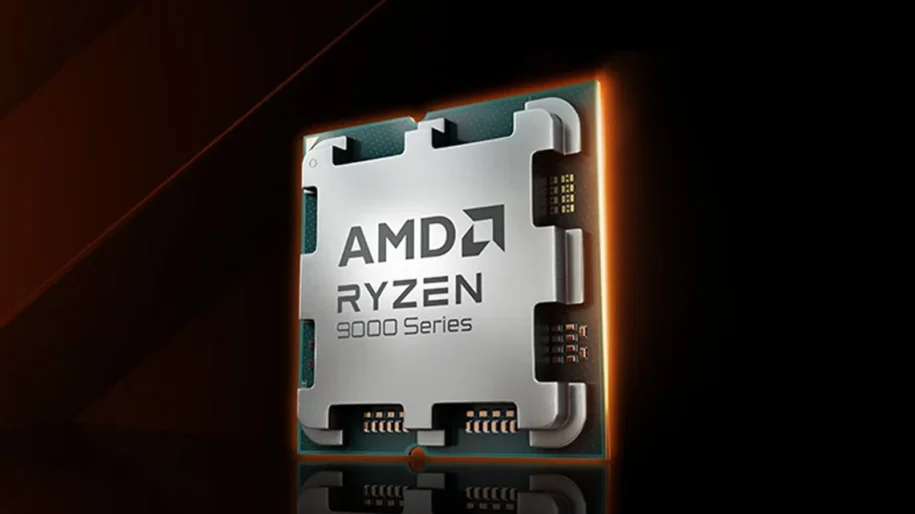
For the desktop examples in this guide, read the name as Ryzen [Tier] [Model Number] [Suffix]. In Ryzen 9 9950X, Ryzen is the brand, 9 is the tier, 9950 is the model number, and X is the suffix.
- Tier: Ryzen 3, 5, 7, or 9 describes the product segment. It is not the number of cores or the Zen architecture version.
- Model number: Identifies a particular processor within a product series. Check the full model rather than comparing just one digit.
- Suffix: Can identify a feature or product variant, such as X, G, or X3D.
The distinction matters: the 9 in Ryzen 9 and the 9000 in Ryzen 9000 Series describe different parts of the product name. Desktop and laptop naming systems also differ.
Series Number: Generation and Performance Tier
The first digit in these four-digit desktop models identifies the product series, not a literal Zen generation. The Ryzen 9 7950X belongs to Ryzen 7000 Series and uses Zen 4. The Ryzen 9 9950X belongs to Ryzen 9000 Series and uses Zen 5. Calling them seventh- and ninth-generation architectures would be misleading.
The separate tier number gives a broad indication of the intended market:
- Ryzen 9: Enthusiast models that often offer more cores for demanding multitasking and content creation.
- Ryzen 7: Higher-tier mainstream processors used in gaming and productivity systems.
- Ryzen 5: Mainstream processors to compare when balancing performance and budget.
- Ryzen 3: Entry-level models where offered in the relevant product family.
A higher tier is not a guarantee of higher frame rates in every game. Architecture, cache, graphics card, resolution, and the game itself all matter. Compare models from the relevant family and look for benchmarks that match your intended use.
The Model Number: SKU and Performance
The remaining model digits distinguish products within a family. They are useful for identifying a chip, but they are not a performance percentage or a substitute for specifications.
For example, the Ryzen 9 9950X has 16 cores and 32 threads, while the Ryzen 9 9900X has 12 cores and 24 threads. Both use Zen 5. The difference is more than a small clock-speed increase, and the benefit depends on whether your applications can use the additional cores.
When comparing a CPU, check its architecture, core count, cache, power requirements, and supported memory. For an upgrade, also identify your motherboard and check its exact CPU support list and required BIOS version.
The Suffix: Used To Indicate Special Features
Common desktop suffixes indicate product variants. Read them alongside the full model specifications:
- X: Identifies a performance-oriented variant in these Ryzen desktop families. It does not mean that only X models can be overclocked, and it does not guarantee the best gaming result.
- G: Used on desktop models such as the Ryzen 7 8700G, which includes Radeon 780M integrated graphics. Choose graphics settings to suit the game and the capabilities of the integrated GPU.
- X3D: Identifies models with AMD 3D V-Cache technology. The extra cache can benefit gaming, but clock speeds, power limits, and results vary by model and workload.
- F: On models such as the Ryzen 5 9500F, a discrete graphics card is required. Check the graphics specification for the exact model.
A G suffix is not the only sign that a Ryzen CPU has integrated graphics. For example, AMD lists Radeon Graphics on the Ryzen 7 7700X too. Having integrated graphics does not mean that two processors offer the same gaming capability.
What about laptop processors? Do not apply the desktop series rule to every mobile model. The Ryzen 7 7735HS uses Zen 3+, whereas the Ryzen 7 7840HS uses Zen 4, despite both belonging to the mobile 7000 Series. AMD also has separately named Ryzen AI families. Use AMD’s laptop processor specifications to check the exact chip, and compare the complete laptop, including its cooling and power configuration.
Now that you understand AMD CPU naming conventions you can make quicker, more informed decisions when it comes to picking what processor to power your next gaming rig.
Use the name to narrow your shortlist, then confirm the exact processor’s specifications and performance in the games or applications you use. If you are upgrading an existing system, our prebuilt PC upgrade guide explains the compatibility checks to make before buying parts.
Having this knowledge will help you decide on the right AMD Ryzen processor that fits exactly what you are looking for.
Whether you are in search of the absolute best performing gaming PC or for a budget friendly options, this knowledge will help you choose the right AMD Ryzen processor for your specific needs.
CyberPowerPC is here to help when you are ready for a new gaming PC, check out our full selection of AMD Gaming PCs, powered by the latest generations of AMD Ryzen Processor and AMD Radeon graphics cards.