
Windows 11 Gaming PCs

POWERFUL CHOICES
From essential to exceptional, there's a PC for you.

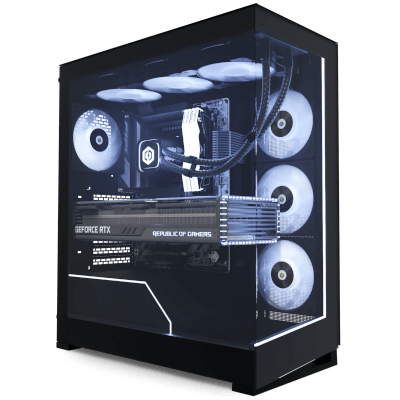
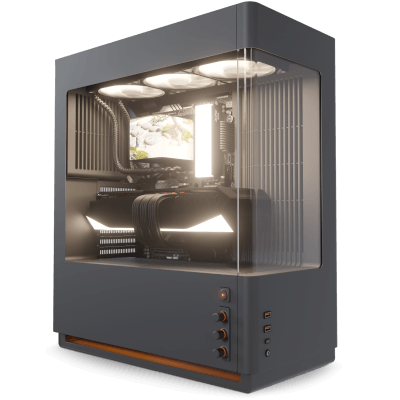
GeForce Mainstream Gaming PC
Windows 11 Home AMD Ryzen™ 7 8700F Processor GeForce RTX™ 5060 8GB GDDR7 Video Card 16GB (16GBx1) DDR5/6000MHz Memory ASUS PRIME B850-PLUS WIFI ATX Motherboard 1TB Kingston SNV3S/1000G PCIe NVMe M.2 SSD
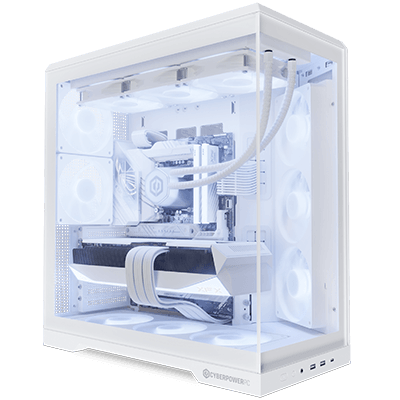
GeForce Pro Gaming PC
Windows 11 Home Intel® Core™ Ultra 7 Processor 270K Plus ASUS Dual GeForce RTX™ 5060 Ti 8GB GDDR7 OC Edition GDDR7 Video Card 16GB (16GBx1) DDR5/6000MHz Memory ASUS Z890 MAX GAMING WIFI7 ATX Wi-Fi 7 1TB Kingston SNV3S/1000G PCIe NVMe M.2 SSD
GeForce Elite Gaming PC
Windows 11 Home AMD Ryzen™ 7 9800X3D Processor GeForce RTX™ 5070 12GB GDDR7 Video Card 32GB (16GBx2) DDR5/6000MHz Memory ASUS PRIME B850-PLUS WIFI ATX Motherboard 2TB WD Green SN3000 (PCIe Gen4) NVMe M.2 SSD
GeForce Mainstream Gaming PC
Windows 11 Home AMD Ryzen™ 7 8700F Processor GeForce RTX™ 5060 8GB GDDR7 Video Card 16GB (16GBx1) DDR5/6000MHz Memory ASUS PRIME B850-PLUS WIFI ATX Motherboard 1TB Kingston SNV3S/1000G PCIe NVMe M.2 SSD
GeForce Pro Gaming PC
Windows 11 Home Intel® Core™ Ultra 7 Processor 270K Plus ASUS Dual GeForce RTX™ 5060 Ti 8GB GDDR7 OC Edition GDDR7 Video Card 16GB (16GBx1) DDR5/6000MHz Memory ASUS Z890 MAX GAMING WIFI7 ATX Wi-Fi 7 1TB Kingston SNV3S/1000G PCIe NVMe M.2 SSD
GeForce Elite Gaming PC
Windows 11 Home AMD Ryzen™ 7 9800X3D Processor GeForce RTX™ 5070 12GB GDDR7 Video Card 32GB (16GBx2) DDR5/6000MHz Memory ASUS PRIME B850-PLUS WIFI ATX Motherboard 2TB WD Green SN3000 (PCIe Gen4) NVMe M.2 SSD
GeForce Mainstream Gaming PC
Windows 11 Home AMD Ryzen™ 7 8700F Processor GeForce RTX™ 5060 8GB GDDR7 Video Card 16GB (16GBx1) DDR5/6000MHz Memory ASUS PRIME B850-PLUS WIFI ATX Motherboard 1TB Kingston SNV3S/1000G PCIe NVMe M.2 SSD
GeForce Pro Gaming PC
Windows 11 Home Intel® Core™ Ultra 7 Processor 270K Plus ASUS Dual GeForce RTX™ 5060 Ti 8GB GDDR7 OC Edition GDDR7 Video Card 16GB (16GBx1) DDR5/6000MHz Memory ASUS Z890 MAX GAMING WIFI7 ATX Wi-Fi 7 1TB Kingston SNV3S/1000G PCIe NVMe M.2 SSD
GeForce Elite Gaming PC
Windows 11 Home AMD Ryzen™ 7 9800X3D Processor GeForce RTX™ 5070 12GB GDDR7 Video Card 32GB (16GBx2) DDR5/6000MHz Memory ASUS PRIME B850-PLUS WIFI ATX Motherboard 2TB WD Green SN3000 (PCIe Gen4) NVMe M.2 SSD

GeForce Mainstream Gaming PC
Windows 11 Home AMD Ryzen™ 7 8700F Processor GeForce RTX™ 5060 8GB GDDR7 Video Card 16GB (16GBx1) DDR5/6000MHz Memory ASUS PRIME B850-PLUS WIFI ATX Motherboard 1TB Kingston SNV3S/1000G PCIe NVMe M.2 SSD
GeForce Pro Gaming PC
Windows 11 Home Intel® Core™ Ultra 7 Processor 270K Plus ASUS Dual GeForce RTX™ 5060 Ti 8GB GDDR7 OC Edition GDDR7 Video Card 16GB (16GBx1) DDR5/6000MHz Memory ASUS Z890 MAX GAMING WIFI7 ATX Wi-Fi 7 1TB Kingston SNV3S/1000G PCIe NVMe M.2 SSD
GeForce Elite Gaming PC
Windows 11 Home AMD Ryzen™ 7 9800X3D Processor GeForce RTX™ 5070 12GB GDDR7 Video Card 32GB (16GBx2) DDR5/6000MHz Memory ASUS PRIME B850-PLUS WIFI ATX Motherboard 2TB WD Green SN3000 (PCIe Gen4) NVMe M.2 SSD
GeForce Mainstream Gaming PC
Windows 11 Home AMD Ryzen™ 7 8700F Processor GeForce RTX™ 5060 8GB GDDR7 Video Card 16GB (16GBx1) DDR5/6000MHz Memory ASUS PRIME B850-PLUS WIFI ATX Motherboard 1TB Kingston SNV3S/1000G PCIe NVMe M.2 SSD
GeForce Pro Gaming PC
Windows 11 Home Intel® Core™ Ultra 7 Processor 270K Plus ASUS Dual GeForce RTX™ 5060 Ti 8GB GDDR7 OC Edition GDDR7 Video Card 16GB (16GBx1) DDR5/6000MHz Memory ASUS Z890 MAX GAMING WIFI7 ATX Wi-Fi 7 1TB Kingston SNV3S/1000G PCIe NVMe M.2 SSD
GeForce Elite Gaming PC
Windows 11 Home AMD Ryzen™ 7 9800X3D Processor GeForce RTX™ 5070 12GB GDDR7 Video Card 32GB (16GBx2) DDR5/6000MHz Memory ASUS PRIME B850-PLUS WIFI ATX Motherboard 2TB WD Green SN3000 (PCIe Gen4) NVMe M.2 SSD

Create, connect, and get more done
Pair Windows with Microsoft 365 to collaborate and stay productive across your devices.
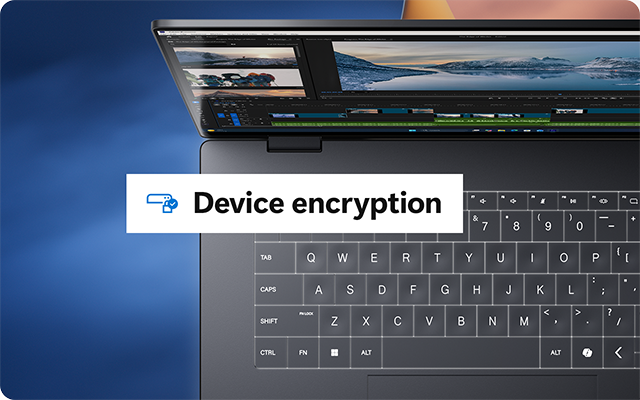
Subscribe now1Device Encryption is available on supported devices. Availability and functionality may vary by device, hardware configuration, and setup.
2Performance varies significantly with configuration, usage and other factors
3Microsoft 365 subscription required
4Device dependent and may require compatible accessory. Learn more about Windows Hello ESS
5Based on Steam’s catalog of PC games. Source: The Preferences Powering PC Gaming report by Ampere Analysis, commissioned by Microsoft, September 2025.
6Copilot availability varies by device, market and language. See Microsoft Copilot Help & Learning
Screens simulated. Features and app availability may vary by region.
With the all new Windows 11, gaming never looked so good as it does now. With windows 11 you can play both next generation and classic games with easy. As everyone already knows there are more games on Windows then there is on any other platform and Windows 11 only lifts up the great experience you already had with all Windows 10 game tiles you loved before but also is design to offer new exciting experiences for Windows 11 gamers with the next generation of Direct X 12 games coming out.
Microsoft Windows 11 | Gaming PCs and Laptops | CyberPowerPC FAQs
If you don't see your question below, contact us or visit our FAQ page for more information.
What’s the difference between Windows 10 and Windows 11?
Windows 11 has all the power and security of Windows 10 with a redesigned and refreshed look. It also comes with new tools, sounds, and apps. Every detail has been considered. All of it comes together to bring you a refreshing experience on your PC. Some Windows 10 features are not available in Windows 11, see Windows 11 Specifications.
Do my accessories work with Windows 11?
If your accessories worked with Windows 10 and meet the Windows 11 requirements, they should work with Windows 11. If you want to be sure, please check with your accessory manufacturer.
How much does it cost to upgrade from Windows 10 to Windows 11?
It's free. But only Windows 10 PCs that are running the most current version of Windows 10 and meet the minimum hardware specifications will be able to upgrade. You can check to see if you have the latest updates for Windows 10 in Settings/Windows Update. Note that in areas where the internet is metered, ISP fees may apply.
How long will the free upgrade offer last?
The free upgrade offer does not have a specific end date for eligible systems. However, Microsoft reserves the right to eventually end support for the free offer.
Does Windows 11 take up more space on my PC than Windows 10?
No. Windows 11 and Windows 10 require approximately the same amount of disk space. During the upgrade process, however, extra space is required. Windows will clean up this extra disk space about 10 days after the upgrade is complete.