
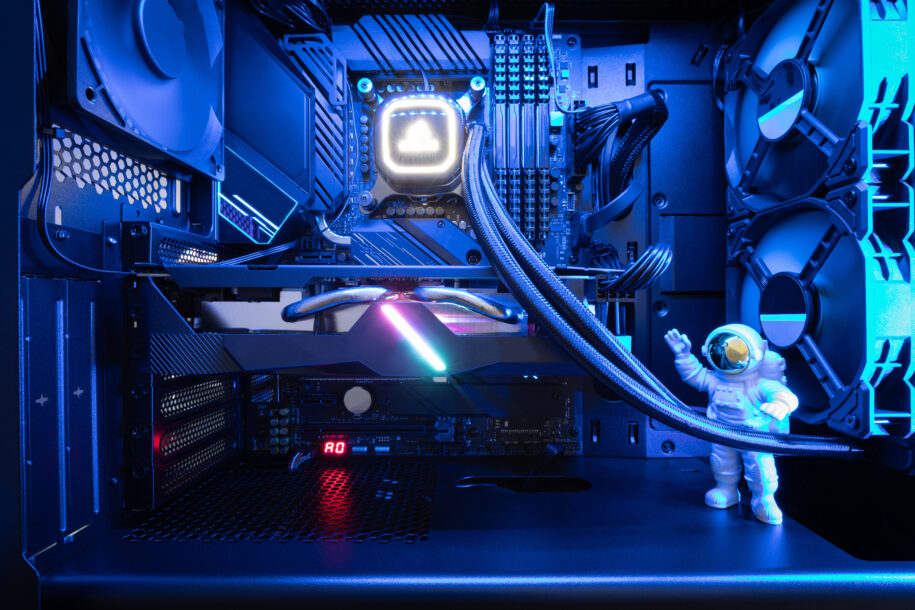
In gaming PCs you have a couple options when it comes to cooling your system. Liquid cooling vs. air cooling systems are the main consideration you will need to consider when it comes to deciding on what you want in your gaming PC. Ultimately there is no all-in-one solution as both air and liquid solutions can offer great performance that keeps your system cool and performing well. The choice between these two cooling methods has become more nuanced as hardware has gotten more powerful. Let’s look at the benefits and drawbacks of either cooling method to determine which is the right option for your PC.
Table of Contents
Cooling System Components
Cooling system components are designed to remove excess heat generated by a PC’s internal hardware. Common components include heat sinks, fans, radiators, pumps, coolants, tubing, and thermal interface materials, all of which work together to regulate operating temperatures and maintain system stability.
Air Cooling Components
Heatsinks
Air coolers are still widely preferred due to their simplicity and low cost. At the core of every air-cooled system is the heat sink, which is typically made from aluminum, copper, or a combination of both. The heat sink acts as a heat exchanger, drawing thermal energy away from the CPU.
The metal is made with thin fins, which helps it absorb and dissipate heat.
CPU Fans
Also seated on the heat sink is the CPU fan cooler. It blows out warm air that gathers around it during operation, replacing it with cold air through the fin stack. This airflow is essential for maintaining stable CPU temperatures during operation, especially under load.
Proper airflow within the case is critical, as air coolers rely heavily on consistent air movement to perform effectively.
Thermal Paste and Case Fans
A thin layer of thermal paste sits between the CPU and the heat sink, filling microscopic gaps to improve heat transfer. Supporting this process are case fans, which help regulate overall airflow by pulling cool air into the system and exhausting warm air out.
Together, these components allow air-cooled systems to deliver reliable thermal performance with minimal maintenance requirements.
Liquid Cooling Components
Cold Plate / Water Block
Liquid cooling solutions use a more complex set of components designed to move heat more efficiently. At the center of the system is the cold plate or water block, which mounts directly onto the CPU using thermal paste. As the CPU heats up, coolant flowing through the block absorbs the thermal energy.
Pump and Tubing
An integrated pump circulates the heated coolant through flexible tubing, moving it away from the CPU toward the radiator. Consistent pump performance is essential for maintaining stable cooling efficiency.
Radiator and Fans
The radiator serves as the primary heat dissipation component in a liquid cooling loop. It contains metal channels and fins that allow heat to transfer from the liquid coolant into the air. Radiator-mounted fans then push air through the fins, expelling heat from the system.
Coolant and Reservoir
The coolant itself is formulated to absorb heat efficiently while resisting corrosion inside the loop. More advanced liquid cooling setups often include a coolant reservoir, which stores extra fluid, simplifies filling and draining, and helps eliminate air bubbles.
Together, these components create a highly effective and customizable cooling solution, particularly well-suited for high-performance or sustained workloads.
Is Liquid Cooling More Effective Than Air Cooling?
Is liquid cooling better than air? Liquid cooling systems are known for their superior performance and efficiency. By transferring heat away from the components via a liquid coolant, these systems can maintain lower temperatures even under heavy loads. This translates to enhanced stability and the potential for overclocking without thermal throttling.
Continued advancements in air cooling have narrowed this performance gap considerably. High-quality air coolers equipped with multiple heat pipes, dense fin arrays, and powerful fans can rival the cooling prowess of their liquid counterparts. Innovative designs and materials mean that certain air coolers can keep up with liquid cooling.
Besides raw temperature performance, the decision between liquid cooling vs. air cooling comes down to the primary use of your system. A large air cooler can deliver consistent thermal results for short bursts of gaming or typical productivity without the added complexity.
Conversely, for users running heavy workloads such as streaming, high-refresh gaming, or content creation, a liquid CPU cooler vs. air configuration can provide far more thermal headroom. The provision is particularly favorable when ambient room temperatures start to rise. Having a good understanding of your PC’s demands ensures you match the cooling method to your long-term performance goals.
Liquid Cooling vs. Air Cooling: Noise & Aesthetics
One of the primary drawbacks of traditional air cooling solutions has always been the noise generated by fast-spinning fans. In contrast, liquid cooling setups often operate with minimal noise, thanks to the absence of moving parts aside from the pump and fans that are running at lower RPMs on the radiator. This quiet operation can greatly enhance the gaming experience, allowing players to immerse themselves in their games distraction free.
Additionally, liquid cooling systems offer unparalleled aesthetic appeal, especially with the rise of custom loops with RGB lighting effects or AIO radiators with RGB. Liquid cooling can offer another way to further make your PC uniquely your own. However, the complexity and cost of custom liquid cooling loops may not be interesting to someone who is prioritizing simplicity and affordability.
Noise reduction is especially noticeable in open-frame cases or setups where the PC sits close to the user. Compared to air cooling, liquid cooling setups generally produce less audible noise because they don’t rely on large heatsinks and high fan speeds to dissipate heat. This makes liquid cooling an attractive option for gamers who are sensitive to fan noise or who want a cleaner, more minimalist desk environment. Keep in mind that pump noise and bubble or gurgle issues can occur with liquid cooling, and modern case air coolers can be extremely quiet with good fan curves.
What Are the Downsides of Liquid Cooling?
When it comes to maintenance, air cooling has a clear advantage over liquid cooling. Air coolers require minimal upkeep, grab a can of air or an electric duster and blow things out every once in a while. On the other hand, liquid cooling systems demand more attention, including regular checks for leaks, pump functionality, and coolant levels. While modern closed-loop liquid coolers mitigate many of these concerns, the risk of component failure or leakage remains a potential drawback.
In terms of reliability, both cooling methods have their strengths and weaknesses. Air coolers are simple and reliable, but typically will lag behind liquid cooling temps. Even if a fan were to malfunction, the system would likely remain operational, albeit with reduced cooling capacity.
Liquid cooling systems, while generally reliable, are more vulnerable to leaks and pump failures, which can result in significant damage if not addressed promptly. Failures can happen over time due to pump wear, tubing degradation, improper installation, or manufacturing defects. These incidents are the exception rather than the rule, but they highlight why quality components and proper installation matter.
Although liquid cooling can deliver superior thermal performance, builders should realistically assess what best fits their needs. Factors like case size, ease of component access, and long-term maintenance all play a role in overall reliability. Users who frequently move their PC or attend LAN events may prefer the sturdiness of air cooling, which is less affected by transport and movement. Choosing a cooling solution that aligns with how you use your system can help prevent unexpected issues over time.
Liquid Cooling vs. Air Cooling: Cost Considerations
Cost is a crucial factor for many gamers when choosing between liquid cooling and air cooling. In general, air cooling setups are more affordable upfront, with high-quality air coolers available at a fraction of the cost of liquid cooling components. This makes air cooling an attractive option for budget-conscious gamers or those prioritizing value over ultimate performance.
On the other hand, liquid cooling systems, particularly custom loops, can be significantly more expensive to purchase and install. The cost of premium components, such as radiators, pumps, water blocks, and fittings, can quickly add up. Factor in the additional expense of coolant, tubing, and maintenance supplies, and the price gap between liquid and air cooling becomes even more pronounced. However, for enthusiasts willing to invest in top-tier performance and aesthetics, the premium price may be justified.
AIOs offer a nice in between. They get rid of the upkeep of a full custom loop, are easy to install, perform great, and are cost effective. This is why you see many of our prebuilt systems using AIOs.
When comparing options across price points, the value of an air cooler vs. liquid cooler CPU setup becomes clearer. Air coolers deliver reliable performance out of the box with minimal ongoing costs. Liquid cooling systems, especially custom setups, can continue to increase in cost as additional components are added, making total cost of ownership an important consideration.
Ultimately, builders prioritizing quiet operation and lower temperatures may gravitate toward liquid cooling, while many budget-focused gamers will find the best overall value in well-designed, feature-rich air coolers.
Is Liquid Cooling Overkill for Gaming?
There is no one-size-fits-all solution when it comes to deciding on how to cool your PC. Each method has its own strengths and weaknesses, and the optimal choice depends on a variety of factors, including performance requirements, noise tolerance, aesthetic preferences, maintenance considerations, and budget constraints.
For many gamers, the decision between a liquid vs. air cooled PC centers on peak performance. Systems powered by high-wattage CPUs or GPUs that regularly approach thermal limits may benefit from a liquid CPU cooler over an air-cooled configuration.
Liquid cooling remains the gold standard. Its superior heat dissipation capabilities and sleek aesthetic appeal make it a favorite among enthusiasts and competitive gamers alike. However, the complexity, cost, and maintenance requirements of liquid cooling may deter casual users or those on a tight budget. Thankfully this can be avoided by opting for an AIO cooler, which is what we utilize in most of our gaming PCs in 2025.
Despite the popularity of AIO and liquid cooling in recent years, “traditional” air cooling continues to evolve, offering increasingly efficient and affordable solutions that rival the performance of liquid cooling setups. With advancements in fan technology and heatsink design, air coolers deliver impressive cooling performance while usually maintaining a lower price point and requiring minimal maintenance.
Ultimately, the choice between liquid cooling and air cooling comes down to personal preference and priorities. Whether you prioritize raw performance, quiet operation, eye-catching aesthetics, or budget-friendly solutions, there’s a cooling method tailored to your needs in the dynamic landscape of gaming PCs in 2025.
Whether you want a fully liquid cooled PC like our Hyper Liquid Series, or want to keep things simple with an AIO or air cooler, we have you covered for choice with the best selection of PC components.