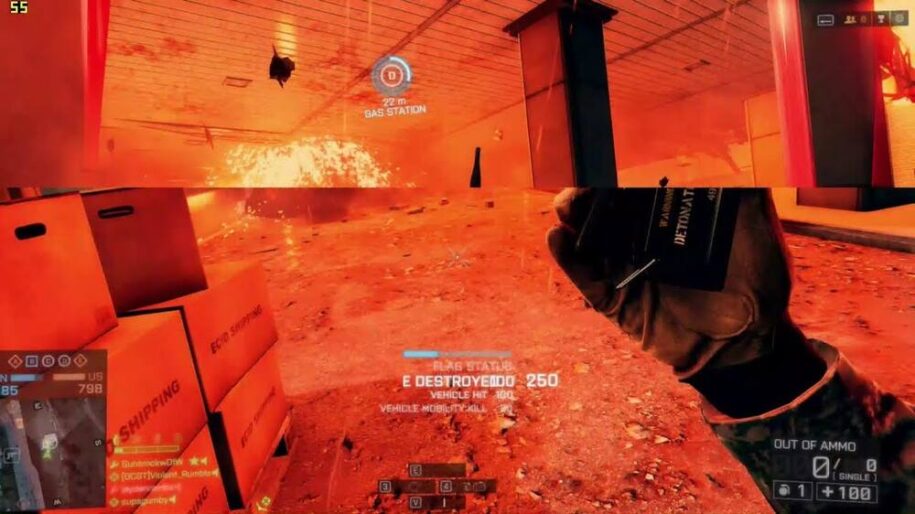
AMD FreeSync is AMD’s technology that aims to eliminate screen tearing and stuttering while gaming. It does this by synchronizing the refresh rate of the monitor with the frame rate output by the graphics card.
Table of Contents
Types of AMD FreeSync
AMD certifies displays at three FreeSync tiers. Check the exact model’s supported refresh-rate range and inputs before buying; the badge alone does not describe every connection or operating mode.
The current AMD tier table separates monitors, TVs, and projectors from laptops. Older certified displays may have qualified under earlier requirements.
AMD FreeSync
The baseline FreeSync tier provides variable refresh rate with compatible Radeon graphics and a supported display connection. AMD supports FreeSync over DisplayPort and HDMI, but the display’s specifications determine which inputs and refresh rates are available.
AMD FreeSync Premium
For monitors, TVs, and projectors, current FreeSync Premium certification requires a maximum refresh rate of at least 200 Hz below 3440 horizontal pixels, or at least 120 Hz at 3440 pixels and above. These requirements describe the minimum top refresh rate for certification; a qualifying display can run faster. Laptop requirements differ. Premium also includes low framerate compensation (LFC).
AMD FreeSync Premium Pro
FreeSync Premium Pro adds AMD’s HDR certification requirements to the Premium tier. Check the display and game’s HDR support; the badge does not make every game HDR-capable.
How Does AMD FreeSync Work?
FreeSync adjusts display refresh timing to match frame delivery within the monitor’s variable-refresh range. This reduces screen tearing and synchronization-related judder. It does not increase the GPU’s rendering speed or remove stutters caused by shader compilation, insufficient memory, or other system problems.
Frequently Asked Questions About AMD FreeSync
How is AMD FreeSync different from NVIDIA G-Sync?
Both address the timing mismatch between a GPU and a display. FreeSync is AMD’s certification program, while G-SYNC is NVIDIA’s display-technology family. G-SYNC Compatible certification validates variable-refresh operation with supported GeForce GPUs and does not require the dedicated module used by some other G-SYNC displays.
Some FreeSync monitors also work through NVIDIA’s G-SYNC Compatible mode or Intel Adaptive Sync. That overlap is model- and connection-dependent. It does not mean every FreeSync feature is guaranteed with every graphics card; check the GPU vendor’s supported-display information and the monitor manual.
Should I enable FreeSync if my monitor supports it?
If the GPU and display support it, enable variable refresh in the monitor menu and graphics-driver settings, then test a game with a fluctuating frame rate. AMD’s setup guide explains where to check FreeSync status in AMD Software.
When FPS exceeds the display’s maximum refresh rate, the system is outside its variable-refresh range. V-Sync and frame-limit settings affect tearing and latency at that boundary. Follow the GPU vendor’s guidance for your setup and compare settings in the games you play; there is no universal combination that guarantees zero tearing, zero stutter, and the lowest possible latency.
Do I need an AMD Radeon graphics card for FreeSync?
AMD’s FreeSync feature requires supported Radeon graphics and a FreeSync display. A monitor carrying that badge may also support another GPU vendor’s variable-refresh implementation, but a monitor alone is not enough. Check the GPU, driver, input, cable, and display mode together.
- AMD Radeon: Confirm FreeSync support for the card and the monitor’s chosen HDMI or DisplayPort input.
- NVIDIA GeForce: Check NVIDIA’s G-SYNC display list for the model, connection, refresh range, and driver requirements. An unvalidated Adaptive-Sync display may work fully, partly, or not at all.
- Intel Arc: Intel’s desktop guide identifies DisplayPort Adaptive Sync support and notes that HDMI capabilities vary by card. Verify the exact card and monitor combination.
What are the benefits of using AMD FreeSync?
The main benefit is better synchronization when frame rate varies within the supported range. Below the minimum, LFC can repeat frames to keep display refresh inside that range on a supported setup. Repeating a frame does not create a newly rendered game frame or make low FPS equivalent to high FPS.
Is FreeSync the same as VRR?
VRR means variable refresh rate: the general ability to vary display refresh timing. FreeSync is AMD’s implementation and display certification program. VESA Adaptive-Sync and HDMI VRR are related connection technologies, so the terms are connected but are not interchangeable specifications. Always check which technology the GPU and monitor support over the input you plan to use.